
👤 Author: Rishu Rana | 📅 Published: June 2026 | ⏱ Reading Time: ~12 min | 🎯 Skill Level: Beginner | 📂 Category: Paid Ads
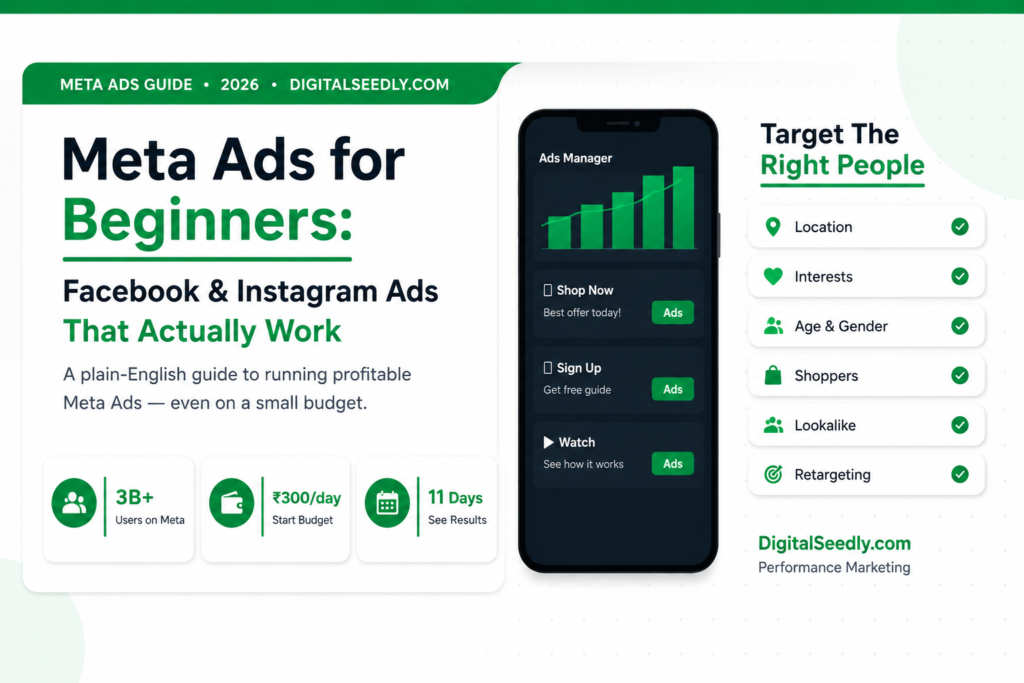
Meta Ads for small business is one of the most powerful ways to grow your sales on Facebook and Instagram in 2026—and in this guide, I am going to show you exactly how it works.
Let me tell you something that happened last year. A small clothing boutique in Gurugram came to us at DigitalSeedly struggling to get new customers. We ran a simple Meta Ads for small business campaign—a carousel ad showing her top 5 outfits with a Shop Now button. In 11 days she got 1,400 website visitors, 47 new customers, and her sales that month doubled. She was spending less than ₹500 a day.
I see small business owners scared of Meta Ads all the time. They think it is complicated. They think it is only for big companies. They think you need a marketing degree to figure it out.
None of that is true.
This is your complete Meta Ads for small business guide—written in simple words, just like I explain it to every new client who walks into DigitalSeedly for the first time. No jargon. No confusing charts. Just honest, practical steps you can follow today.
Let us begin.
What You Will Learn in This Blog
→ What Meta Ads actually are and why the name changed → Why Facebook and Instagram are the best places to advertise in 2026 → The different types of Meta Ads explained in plain language → How the Meta Ads algorithm works — simpler than you think → Step-by-step: how to set up your very first Meta Ad → Common beginner mistakes and how to avoid them → Meta Ads vs Google Ads—when to use each one → How to get results even on a very small budget
First Things First — What Is “Meta”?
You have probably heard of Facebook Ads. You may have heard of Instagram Ads. And now you are hearing “Meta Ads.”
Are they all the same thing? Yes, almost.
In 2021, Facebook’s parent company changed its name from Facebook Inc. to Meta. So now when we say “Meta Ads,” we mean ads that run across all of Meta’s platforms—which include Facebook, Instagram, Messenger, and WhatsApp in some regions.
You run all of them from one single place called the Meta Ads Manager.
So when you create one Meta ad for a small business, you can show it on Facebook, Instagram, or both—at the same time. Pretty convenient, right?
Why Meta Ads for Small Business Are So Powerful in 2026
Here is a simple question. Where do most people spend time online every single day?
Social media. Specifically Facebook and Instagram.
Over 3 billion people use Facebook every month. Instagram has over 2 billion active users. These are not just young people. It is your neighbor, your customer, your customer’s mother, and your customer’s teenage daughter. All of them are scrolling.
Now here is what makes Meta Ads for small businesses so special compared to anything else in digital marketing.
You can choose EXACTLY who sees your ad.
Not just “people in India.” I mean
- Women aged 28 to 45
- Living in Delhi NCR
- Who are interested in handmade jewelry
- Who recently browsed jewelry websites
- And who earn above ₹50,000 per month
You can target that specifically. That is why a small business with a small budget can punch way above its weight using Meta Ads.
Think about a billboard on a highway. Everyone sees it — people who will never buy from you, people passing through, kids who cannot buy anything. You pay for all of them.
With Meta Ads for small businesses, you only pay to show your ad to the exact people who are most likely to buy. That is the real game-changer.
(Want to understand the full picture of online marketing first? Read our guide on what digital marketing really means—it covers everything from search to social to AI.
The Different Types of Meta Ads — Explained Simply
When you open Meta Ads Manager, you will see many options. Do not get overwhelmed. Here are the most important ad types and when to use each one.
1. Image Ads
A single photo with some text and a button. Best for: Showing a product, a service, or a promotion. Example: A photo of your restaurant’s best dish with the text “Book a Table This Weekend.”
2. Video Ads
A short video that plays in someone’s feed. Best for: Telling a story, showing a product in action, building brand awareness. Example: A 15-second clip showing someone using your skincare product with a visible result.
3. Carousel Ads
Multiple images that people can swipe through inside one single ad. Best for: Showing multiple products, listing features, or telling a step-by-step story. Example: A clothing brand showing 5 different outfits in one ad, like our boutique client did.
4. Story Ads
Full-screen vertical ads that appear between people’s Stories on Facebook and Instagram. Best for: Mobile users, quick attention-grabbing messages, limited-time offers. Example: “Flash Sale — 40% off today only!” with a swipe-up link.
5. Lead Ads
Ads that include a small contact form built right inside the ad. The person never has to leave Facebook or Instagram to sign up. Best for: Collecting phone numbers, email addresses, or registrations. Example: “Download our free guide — just enter your name and email.”
6. Collection Ads
An ad that opens a mini-storefront right inside Facebook or Instagram. Best for: Online stores with multiple products. Example: A fashion store where people can browse and buy 12 products without ever leaving the app.
The best Meta Ads for small business campaigns usually start with either an image ad or a carousel ad. They are simple to set up and give you fast, clear results.
How the Meta Ads Algorithm Works — Plain English Version
A lot of people are scared of the Meta algorithm, like it is some mysterious black box. It is actually very logical once you understand it.
Meta wants one thing — to keep people on its platform as long as possible. That is how it makes money.
So it shows people ads that it thinks they will find interesting. If your ad is boring, Meta will not show it much — even if you are paying a lot. If your ad is good and people are clicking and engaging with it, Meta will show it to more people and actually charge you less per click.
This is called your Ad Quality Ranking.
Here is the simple version of how Meta decides to show your ad:
- Your Bid — how much you are willing to pay per result
- Estimated Action Rate — how likely someone is to click or buy, based on their past behavior
- Ad Quality—how good your creative and text are, based on what users think of it
The best part? You do not need the biggest budget. You need the best ad. A smart, well-targeted Meta ad for a small business will always beat a lazy ad with a huge budget.
Step-by-Step: How to Set Up Your First Meta Ad
Let me walk you through this like we are sitting together at a computer. No skipping steps.
Step 1 — Create a Meta Business Account
Go to Meta Business Suite and create a free business account. This is separate from your personal Facebook profile. Connect your Facebook page and Instagram account here.
Step 2 — Open Meta Ads Manager
Inside Meta Business Suite, click on “Ads Manager.” This is your control center. Everything happens here.
Step 3 — Choose Your Campaign Objective
Meta asks you: “What is your goal?” Choose carefully. Here are the most useful ones for small businesses:
- Awareness — You want more people to know your brand exists
- Traffic — You want people to visit your website
- Engagement — You want likes, comments, shares, and follows
- Leads — You want people to give you their contact details
- Sales — You want people to buy something
For most beginners running Meta Ads for small businesses, I recommend starting with Traffic or Leads. These give you clear, measurable results straight away.
Step 4 — Define Your Audience
This is the most important step. Think carefully about who your ideal customer is and set your location, age range, gender, interests, and behaviors.
You can also upload a list of your existing customers, and Meta will find more people just like them. This is called a lookalike audience—and it is one of the most powerful tools in all of digital marketing.
Step 5 — Set Your Budget
You choose between two types:
- Daily Budget — Meta spends up to this amount per day (example: ₹500 per day)
- Lifetime Budget — Total amount for the whole campaign (example: ₹10,000 over 2 weeks)
For beginners doing Meta Ads for small businesses, I always suggest starting with a daily budget of ₹300 to ₹500. Run the ad for 7 days, see what happens, then decide whether to increase.
Step 6 — Create Your Ad
Upload your image or video. Write your headline and body text. Choose your call-to-action button like “Shop Now,” “Learn More,” or “Contact Us.” Enter the URL you want people to go to.
Quick tips for a great ad:
- Use a bright, clear image that stops people mid-scroll
- Write your headline like you are talking to one specific person
- Your first line of text is everything—make it curious, surprising, or helpful
- Have ONE clear action you want people to take. Not two. Not three. Just one.
Step 7 — Review and Publish
Check everything once. Make sure the link works. Make sure the image looks good on mobile. Then hit Publish.
Meta will review your ad — usually within a few hours — and then it goes live.
Step 8 — Monitor and Optimise
Check your ad every 2 to 3 days. Look at your reach, click-through rate, cost per click, and conversions. If something is not working, pause it and try a new image or a different headline. Testing is how every good meta ad for a small business campaign finds its winners.
Meta Ads vs. Google Ads: Which One Is Right for You?
This is the question I get asked more than almost anything else. My honest answer is they do different jobs.
| Meta Ads | Google Ads | |
|---|---|---|
| Best for | Building awareness and interest | Capturing people already searching |
| Targeting | Based on who people ARE | Based on what people SEARCH |
| Ad format | Visual — images, videos, carousels | Text-based search results |
| Cost | Generally lower per click | Higher CPC but stronger purchase intent |
| Best starting budget | ₹300 to ₹500 per day | ₹500 to ₹1,000 per day |
Here is how I explain it to clients:
Google Ads is like a fishing net. You drop it where you know hungry fish are swimming—people already searching for what you sell.
Meta Ads for small businesses is like creating hunger. You show someone a plate of amazing food, and suddenly they want it—even though they were not looking for it five minutes ago.
Both work. The smartest businesses use both together.
(For a full walkthrough of Google’s platform, read our Google Ads beginner’s guide — it covers setup, keywords, and how to avoid wasting money.)
7 Mistakes Beginners Make With Meta Ads — And How to Avoid Them
I have seen hundreds of small business owners try Meta Ads and quit because they “did not work.” Almost every single time, it was not the platform. It was one of these mistakes.
Mistake 1—Targeting everyone: “I want to target all of India.” That is too broad. Narrow your audience. Be specific about who your real customer is.
Mistake 2 — A bad landing page You can have the best meta ad for small businesses in the world—but if the page people land on is slow, ugly, or confusing, they will leave immediately. Fix your website before spending on ads.
Mistake 3 — Giving up too soon. Meta needs data to learn. In the first 3 to 5 days, the algorithm is still figuring out who to show your ad to. Never judge results in the first 48 hours. Give it at least a full week.
Mistake 4 — Running only one ad Always run 2 to 3 different versions at the same time. Test different images, different headlines, and different audiences. This is called “A/B testing”—and it is how you find the ad that actually works.
Mistake 5 — No clear call to action “Click here for more information” is weak. “Get your free quote today—only 5 spots left” is strong. Tell people exactly what to do and give them a reason to do it right now.
Mistake 6 — Ignoring mobile: Over 90% of Meta users are on mobile. Design your creative for mobile first. Vertical videos, big bold text, and simple images that look great on a small screen.
Mistake 7 — Not installing the Meta Pixel The Meta Pixel is a small piece of code you put on your website. It tracks what people do after clicking your ad—so Meta knows who to show your ad to next time. If you are not using the Pixel, you are leaving enormous performance on the table. Every Meta Ads for small business setup must have the pixel installed on day one.
Small Budget? Here Is How to Get Big Results Anyway
Not everyone has ₹50,000 a month to spend. And that is completely fine. Here is what works even with a very small budget.
Start with retargeting. Instead of showing ads to cold strangers, show them to people who already visited your website or followed your Instagram page. These people already know you and are much more likely to buy. Retargeting campaigns often cost 3 to 5 times less than cold audience campaigns.
Use video. Video ads generally cost less to run on Meta because video keeps people watching longer, which Meta rewards. A simple 15-second video shot on your phone can outperform a professionally designed image ad.
Boost your best organic post. If you already have a Facebook or Instagram post that got good likes, shares, or comments—boost it. Meta already knows people like it. Spending ₹200 to ₹300 to boost a good post can give you surprising results for a tiny investment.
Focus on one city or area. If you serve Gurugram, do not spend money showing ads to people in Bangalore. A focused Meta Ads for small business campaign in a smaller local area will almost always outperform a scattered national campaign.
Want to Learn More? Try Meta Blueprint
Meta has a completely free learning platform called Meta Blueprint. It has courses, certifications, and step-by-step tutorials on everything — from beginner ad setup all the way to advanced campaign strategy. It is free and genuinely very good.
Final Thoughts — Should You Start Meta Ads for Small Business Today?
Yes. I think you should.
Not because I sell it. But because I have seen what it does for businesses that use it the right way.
That boutique owner I told you about at the very start? She has been running Meta Ads for small businesses with us for over a year now. Her monthly revenue has grown by 3 times. She recently hired two more staff members.
She did not need a massive budget. She needed a clear strategy, a good creative, and the courage to start.
If you have a product or service that people want, Meta Ads can put it in front of the right people at exactly the right moment. That is really all marketing is.
Start small. Test honestly. Optimize consistently.
And if you want help setting it up — or want someone to manage your Meta Ads for small business campaigns for you — our team at DigitalSeedly is always happy to have a conversation. We offer a completely free strategy call with zero pressure. Just clarity.
Because the best time to start was six months ago. The second best time is right now.
Have a question about Meta Ads? Drop it in the comments below and I will answer it personally.
Written by Rishu Rana — DigitalSeedly, a performance marketing agency helping brands grow through SEO, paid ads, and AI-powered strategies.